SecureClean — Phone Cleaner
- 4.2
- Rating
- 1.00M
- Installs
- Free
- Price

 Analysis by App-foxy
SecureClean — Phone Cleaner is the kind of Android utility I would reach for when a phone feels cluttered rather than genuinely broken. Its purpose is straightforward: help sort out unwanted material and make it easier to manage photos, videos, and files. After spending time with it, my main impression is that it works best as a calm housekeeping tool, not as a magic performance booster. That distinction matters, because cleaning an overloaded gallery and promising dramatic speed improvements are two very different things.
Developed by CN CodeHub, this free app sits in the Tools category and is suitable for Everyone. It has reached over a million installs and holds a 4.2 average from around 1.7 thousand ratings, which suggests that plenty of people find the basic idea useful. I can understand that appeal. When storage becomes difficult to navigate, even a modestly focused cleaner can save time, especially for people who take many pictures, receive media through messaging apps, or download files without regularly reviewing them.
What SecureClean is really good at
The strongest part of the experience is its focus. Rather than asking me to learn a complicated file-management system, SecureClean is built around the everyday problem of digital buildup. Photos, videos, and miscellaneous files tend to accumulate quietly, and the trouble is rarely that one file is impossible to delete. The trouble is deciding what is safe to remove without opening folders one by one. A cleaner is valuable when it turns that vague feeling of clutter into a manageable review process.
You May Also Like

 Blood Strike: 2.5 Anniversary
Blood Strike’s Loadouts Turn Every Drop Into a Tactical Gamble
A close look at Blood Strike’s custom loadouts: how fast access to signature weapons reshapes its battle royale rhythm, rewards preparation, and narrows the gap between fights.

 Pandora - Music & Podcasts
Pandora’s Music Is Easy to Start, but Harder to Recover
Pandora’s strength is its low-effort path from a seed to a station. Its weak spot is how much confidence it asks you to place in connection, setup, and quiet recovery.

 8 Ball Pool
 Is Built on Rivalries, Rematches, and Routine
A close look at the rivalries, rematches, shared routines, and unanswered safety questions that turn a quick pool match into a persistent mobile community.

 Samsung Music
’s Quiet Strength Is Playing What You Already Own
Its reach comes less from spectacle than from dependable access to a personal library. That simplicity is both the app’s strongest retention engine and its ceiling.

 AccuWeather: Weather Radar
AccuWeather Review: A Quick, Clear Forecast for Everyday Decisions
For everyday plans, the best forecast is the one you can understand quickly. AccuWeather makes rain timing, radar, and local conditions easy to act on, with a few trade-offs.

 Hill Climb Racing
Why Hill Climb Racing Still Turns Crashes Into One More Run
A tiny car, a bumpy hill and one more upgrade: Hill Climb Racing keeps resurfacing because its simple chaos makes every near-miss feel personal.
More From Our News Desk



I especially like the idea of using it before a trip, a family event, or a long period away from reliable internet access. Before leaving, I would review old screen captures, duplicate-looking images, forgotten downloads, and large videos that no longer serve a purpose. That workflow is more sensible than waiting until the camera refuses to save a new picture. The app’s role is not simply to erase things; it is to help me make deliberate decisions about the material competing for space.
There is also a useful psychological advantage to a dedicated cleaner. The standard file manager is often technically capable, but it can feel like an archive room: folders, unfamiliar names, and locations that do not immediately explain why something is there. A focused cleaning app gives the task a clearer beginning and end. I can approach it as a short maintenance session instead of wandering through storage and losing track of what I meant to inspect.
That does not make every suggested item disposable. The most important habit is to slow down around personal photos, work documents, exported videos, and files that look old but may still matter. A good cleaning routine should include a preview-and-confirm mindset. I would never treat a highlighted item as automatically safe simply because it appears unnecessary at first glance.
A practical workflow for a crowded phone
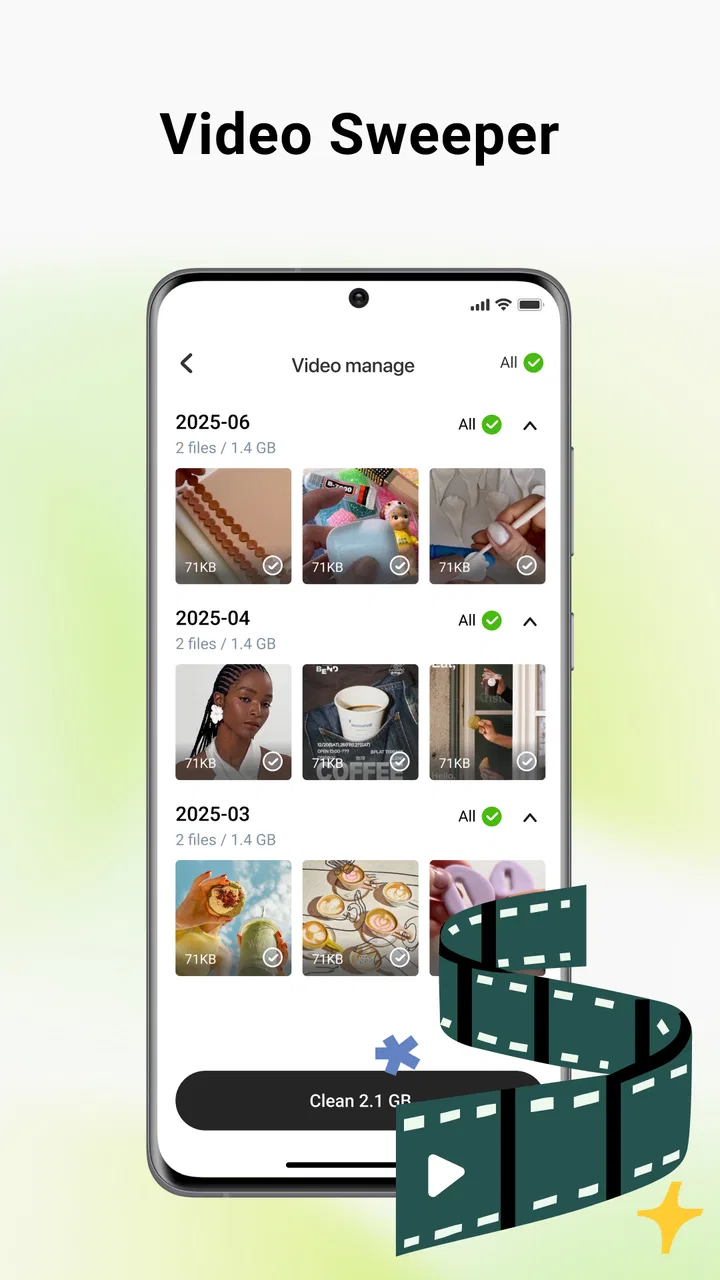
My preferred routine is to start with the least emotional material. Temporary downloads, abandoned screenshots, and media saved for a one-time purpose are easier to judge than family photographs or documents. Once that first pass is complete, I would move to videos, because a small number of forgotten recordings can be more disruptive than a large collection of ordinary pictures. This order reduces the chance of making a rushed decision when the app presents many items together.
A second useful habit is to separate cleaning from organizing. Deleting unwanted material is one task; deciding where important files should live is another. If I try to do both at once, I am more likely to keep everything “just in case” or remove something before I have copied it elsewhere. SecureClean makes more sense as the review stage. Important files can then be moved or backed up using the tools I already trust.
I would also use it in short sessions rather than one dramatic purge. A few minutes after a weekend of taking pictures is easier than confronting months of accumulated media. Short sessions make the app safer to use because I am less tempted to approve a large batch simply to finish. This is one of the less obvious benefits of a focused utility: it can encourage a repeatable habit, provided I treat the suggestions as a starting point rather than an instruction.
Another practical scenario is a shared household phone. Someone may download recipes, save school images, record several versions of the same clip, and receive a steady stream of media in chats. In that situation, the problem is not a lack of storage knowledge; it is that different kinds of files arrive through different routines. A periodic review with SecureClean can bring those scattered leftovers into one place for inspection.
Where it feels more useful than the usual alternatives
Compared with manually browsing a file manager, SecureClean has a friendlier purpose. A file manager is better when I know the exact folder or filename I want. It gives me control and can be indispensable for moving documents, renaming items, or checking a particular location. SecureClean is more appealing when I know the phone is untidy but do not know where the biggest problems are. That difference makes the two tools complementary rather than interchangeable.
It also occupies a more practical middle ground than aggressive “speed-up” utilities. I am cautious about apps that imply every device will become dramatically faster after one tap. Removing unnecessary files can make storage easier to manage, but it does not transform aging hardware or fix every cause of sluggishness. SecureClean is easier to recommend when viewed as a storage and organization assistant. Its value comes from reducing clutter and improving visibility, not from unrealistic promises.
The comparison with built-in storage tools is more complicated. Android’s own settings may already provide enough information for someone who enjoys checking categories and folders manually. Those controls can be preferable to a separate cleaner when the user wants the fewest installed utilities or already has a reliable maintenance routine. SecureClean earns its place when its presentation makes the review process less intimidating. If I still have to investigate every item through several menus, its advantage becomes much smaller.
For photo-heavy users, a dedicated gallery or cloud service may also be the better primary tool. Such services are designed around albums, sharing, backup, and long-term access, while a cleaner is designed around reducing disorder. I would not use SecureClean as my only protection for irreplaceable memories. I would use it before organizing a library, after confirming that valuable files are safely preserved elsewhere.
The weakness that affects how I would use it
The central limitation is the unavoidable risk of over-cleaning. Any app that helps remove files has to balance convenience with caution, and convenience can make people move too quickly. A tidy interface may create the impression that every recommendation is obvious. In reality, a screenshot can be a note, a downloaded image can be needed later, and an old video can have personal value that is not visible from its filename or thumbnail.
That means SecureClean is not a set-it-and-forget-it solution. I would avoid approving broad selections without reviewing them, particularly when cleaning a phone used for work, school, or family records. The app can make discovery easier, but it cannot understand the emotional or practical importance of every file. That judgment remains mine, and anyone expecting a completely automatic cleanup may find this frustrating.
There is a second kind of friction in the category itself: storage problems are often caused by habits, not just leftovers. If I repeatedly save every received image, record several versions of the same clip, and never revisit downloads, a cleaner can only provide temporary relief. The best results come when I pair it with a simple rule, such as reviewing large videos after an event and checking screenshots at the end of each week. Without that change, the same clutter will return.
I would also be careful about confusing free access with unlimited usefulness. SecureClean is free, which removes an important barrier for casual users, but the app should still be judged by how comfortably it fits into a personal maintenance routine. Someone who already has a well-organized gallery, ample storage, and a dependable file-management habit may gain very little. Installing another utility solely because a phone feels slightly slow would not be my first recommendation.
Who should install it, and who should skip it
I think SecureClean is a good fit for people who regularly run out of space, keep large media collections, or feel unsure where unwanted files are hiding. It is particularly suitable for users who find traditional file browsers confusing and want a more approachable way to begin. People who share media frequently, take many short videos, or accumulate screenshots during everyday tasks are likely to notice the greatest benefit.
It can also help someone preparing an older phone for another family member. Before handing the device over, I would review personal images, remove outdated downloads, and make the remaining storage easier to understand. The important step is to combine cleaning with a careful transfer of anything that should be retained. SecureClean can support the review, but it should not replace a proper backup or handover checklist.
I would skip it if I already use Android’s storage controls confidently and rarely have trouble finding files. I would also look elsewhere if my main need is cloud backup, advanced folder management, document synchronization, or professional photo cataloging. Those jobs require tools built around preservation and organization rather than cleanup. SecureClean is best when the immediate question is, “What can I safely review and remove?”
Families should approach it with a little extra care. The Everyone content rating makes it broadly accessible, but accessibility does not mean every user will make the same decisions about personal files. On a shared device, I would have the person who owns the photos or documents participate in the review. That small step prevents the common mistake of treating old-looking material as worthless simply because it has not been opened recently.
Compatibility, trust, and everyday expectations
The current release is V1.0.3 and supports Android 7.0 or later, so compatibility should cover a wide range of still-used devices. That broad reach is useful for households with a mixture of newer and older phones. It also reinforces my view of the app as a practical maintenance option rather than a specialist tool for only modern hardware.
CN CodeHub has kept the product positioning easy to understand: it is a tool for clearing clutter and organizing common file types. I appreciate that the concept does not require technical knowledge. At the same time, I would still read each screen carefully before confirming deletion, especially on a phone where storage is shared between personal memories and important documents.
The public response is encouraging without making the app immune to criticism. A 4.2 average from around 1.7 thousand ratings indicates a generally positive reception, while the presence of 21 written reviews gives prospective users some additional context beyond a single score. I would treat those signals as evidence that the basic experience works for many people, not as a guarantee that every phone or file collection will behave the same way.
Because it is free, the decision to try it is relatively easy for someone who needs a clearer cleanup routine. The more meaningful question is whether the app changes the way I manage storage. If I use it once, delete a few items, and continue saving everything indiscriminately, the benefit will be short-lived. If I use it as a regular inspection step and keep important files protected elsewhere, it becomes much more worthwhile.
My final view of SecureClean
SecureClean is most convincing as a careful storage housekeeping app, not as a miracle phone accelerator. I like its practical focus on photos, videos, and files, its accessible positioning, and the way it can turn an intimidating storage problem into a series of smaller decisions. The free price and broad Android compatibility make it easy to consider, especially for people whose phones are crowded with media.
My recommendation comes with one firm condition: review before removing. The app can help identify clutter, but only I can know whether an old image is disposable, a video is irreplaceable, or a document still matters. Used with that discipline, it can save time and make routine maintenance less stressful. Used carelessly, any cleaner can create regret.
For a friend who keeps receiving “storage almost full” warnings and does not know where to begin, I would suggest trying SecureClean — Phone Cleaner. I would explain that its strength is visibility and cleanup guidance, not a guaranteed cure for every performance issue. For someone seeking backup, deep file control, or a complete photo-management system, I would point toward a more specialized alternative instead.
Overall, I see it as a sensible first step for everyday Android clutter. It does not eliminate the need for judgment, and it cannot replace good storage habits, but it gives the cleanup task a clear purpose. If that is the problem you are actually trying to solve, SecureClean is a useful and approachable choice from CN CodeHub.
FAQs for SecureClean — Phone Cleaner
01What is SecureClean — Phone Cleaner, and what does it do?
SecureClean — Phone Cleaner is designed to help Android users organize and maintain storage on their phones. Its typical tools may include scanning for cached files, temporary data, leftover files, large items, duplicate content, and unused applications. After a scan, it generally presents categories that can be reviewed before removal. Results can vary by device, Android version, and the permissions granted to the app.
02Is SecureClean — Phone Cleaner safe to use, and can it delete important files?
A cleaning app should be used carefully, even when it offers a convenient one-tap cleanup option. SecureClean may identify files as removable, but automated detection is not always perfect, particularly with downloads, media, app folders, or documents that you still need. Before confirming a cleanup, review the selected items and keep backups of important photos, videos, documents, and messages.
03What permissions does SecureClean — Phone Cleaner require?
To scan storage and identify files that may be taking up space, SecureClean may request access to photos, videos, files, and other device storage information. Some features can also request notification or usage-related permissions, depending on the version installed. Review each permission prompt carefully and grant only what is necessary for the feature you want to use. You can manage permissions later through Android settings.
04Does SecureClean really improve phone performance or battery life?
SecureClean can help free storage by removing unnecessary temporary or leftover files, which may make it easier to manage a device with very limited space. However, cleaning cached data does not guarantee a major speed increase, and repeatedly closing apps can sometimes use more battery rather than save it. Performance depends more broadly on available storage, device age, background processes, and the condition of the operating system.
05Is SecureClean — Phone Cleaner free to download, and are there advertisements or premium features?
The app may be available to download at no initial cost, but free versions of phone-cleaning tools commonly include advertising, optional upgrades, or limits on certain scanning and cleaning features. Pricing, subscriptions, trial periods, and available tools can change between releases and regions. Before starting a trial or purchase, check the Google Play listing for the current terms, renewal details, and cancellation instructions.
Pros
- Quickly identifies junk files
- caches
- and leftover data.
- Simple interface makes routine phone maintenance easy.
- Can help free storage without requiring technical knowledge.
- Useful tools for finding large files and unused content.
- Scans are generally fast on phones with moderate storage usage.
Cons
- Some cleaning suggestions may require careful manual review.
- Aggressive cleanup can remove files you intended to keep.
- Extra features or unlimited use may depend on in-app purchases.
- Cleaning apps can have limited impact on newer Android devices.
- Frequent notifications may feel intrusive during regular use.

SecureClean — Phone Cleaner
Gallery